
AUTOMATION
Create intelligent automated workflows directly inside WordPress with Funnel System Pro’s built-in automation tools. Connect Zapier, Make.com, CRM systems, email notifications, lead routing, and conversion tracking to streamline customer journeys, improve response times, automate follow-ups, and scale your business with smarter funnel automation.
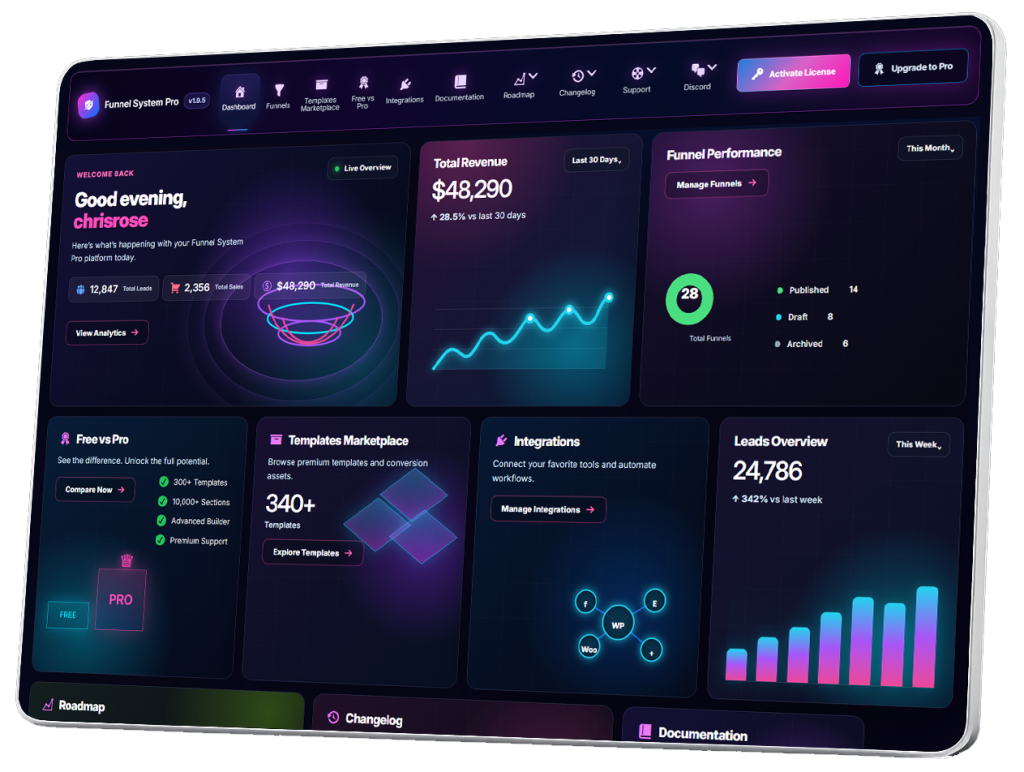
- Automation
- Webhooks Overview
- Connecting Zapier
- Connecting Make.com
- GoHighLevel Integration
- Sending Lead Notifications
- Admin Email Notifications
- User Confirmation Emails
- Facebook Pixel Setup
- Google Analytics Integration
- Conversion Tracking
- CRM Automation Workflows
- Automating Lead Routing
- Automation Best Practices
Sending Lead Notifications
Lead notifications are one of the most important parts of any funnel system.
Inside Funnel System Pro, lead notification systems allow businesses and agencies to receive instant alerts whenever users submit funnels, estimates, quizzes, applications, bookings, or contact requests.
Fast lead response times often have a major impact on conversion rates and sales performance.
What Are Lead Notifications?
Lead notifications are automated alerts triggered when users complete a funnel submission.
These notifications help businesses respond quickly to new leads and customer inquiries.
Examples include:
- New lead alerts
- Estimate requests
- Booking inquiries
- Consultation requests
- Application submissions
- Quiz completions
- Contact form notifications
Notifications can be sent instantly after a funnel is completed.
Why Lead Notifications Matter
Lead response speed is critical.
Businesses that respond quickly to inquiries often:
- Close more sales
- Improve customer trust
- Increase conversion rates
- Improve customer experience
- Reduce lost opportunities
Slow responses can cause businesses to lose leads to competitors.
Automation helps eliminate delays.
Real-Time Lead Alerts
Funnels inside Funnel System Pro can send notifications immediately after a submission occurs.
This allows businesses to:
- Review leads quickly
- Follow up faster
- Prioritize opportunities
- Respond while users are still engaged
Real-time notifications improve workflow efficiency significantly.
Common Notification Types
Funnels can trigger different notification types depending on the workflow.
Examples include:
- Admin email notifications
- Team notifications
- CRM updates
- Sales alerts
- Booking confirmations
- Funnel completion alerts
Different teams can receive different notifications depending on funnel logic.
Admin Email Notifications
One of the most common setups is sending notifications directly to administrators or sales teams.
Notifications may include:
- Lead name
- Email address
- Phone number
- Funnel responses
- Service selections
- Estimate details
- Qualification information
This gives businesses immediate access to new lead information.
Customer Confirmation Emails
Funnels can also send confirmation emails to users after submissions.
Examples include:
- Thank-you emails
- Booking confirmations
- Estimate acknowledgments
- Consultation confirmations
- Follow-up instructions
Confirmation emails help reassure users that submissions were received successfully.
CRM Notification Integration
Lead notifications can also integrate with CRM workflows.
Examples include:
- Lead assignment
- Sales pipeline updates
- Team routing
- Priority lead alerts
- Follow-up scheduling
CRM automation improves organization and lead management.
Conditional Notification Logic
Funnels using conditional logic can send different notifications depending on user responses.
Examples include:
- Different departments
- Service-specific teams
- High-value lead alerts
- Qualification-based routing
- Priority sales notifications
This creates smarter and more personalized workflow systems.
Multi-Step Funnel Notifications
Notifications work seamlessly with multi-step funnels.
Funnels can include data from:
- Quiz answers
- Pricing estimates
- Service selections
- Qualification questions
- Contact forms
- Result pages
This allows businesses to receive detailed lead information automatically.
Instant Sales Notifications
Fast notifications are especially important for:
- High-ticket services
- Consultation funnels
- Booking systems
- Estimate requests
- Sales inquiries
Immediate follow-up often improves close rates dramatically.
Team Workflow Notifications
Funnels can notify multiple team members at once.
Examples include:
- Sales teams
- Customer support
- Booking coordinators
- Project managers
- Service departments
This improves internal communication and workflow speed.
Mobile Notification Benefits
Lead notifications are especially valuable for mobile workflow management.
Businesses can receive alerts instantly on mobile devices and respond quickly even while away from the office.
Benefits include:
- Faster lead response
- Better customer service
- Improved workflow flexibility
- Reduced missed opportunities
Notification Automation
Notifications can also trigger automation workflows.
Examples include:
- CRM updates
- Email sequences
- Slack alerts
- SMS notifications
- Task creation
- Follow-up reminders
This helps businesses automate lead management and customer communication.
Notification Best Practices
When configuring lead notifications, follow these best practices:
Respond Quickly
Fast responses improve conversions.
Keep Notifications Organized
Structure notifications clearly for easy review.
Prioritize High-Value Leads
Use conditional logic for important inquiries.
Avoid Notification Overload
Only send relevant alerts.
Test Notification Systems
Verify email delivery and automation workflows.
Use Clear Funnel Labels
Organized naming improves workflow management.
Testing Lead Notifications
Before publishing funnels, always test:
- Notification delivery
- Email formatting
- Funnel data accuracy
- Conditional notification logic
- CRM integration
- Team routing
Testing helps prevent missed leads and workflow errors.
Funnel Notification Scalability
As businesses grow, automation becomes increasingly important.
Lead notification systems help businesses scale:
- Lead management
- Sales response
- Customer communication
- Team coordination
- CRM workflows
Without significantly increasing manual work.
Designed for Modern Lead Management
Funnel System Pro was designed to support modern lead generation and notification workflows directly inside WordPress.
Businesses can create:
- Instant lead alerts
- CRM automation systems
- Multi-step funnel notifications
- Team routing workflows
- Personalized customer communication
- Automated follow-up systems
All while maintaining full ownership and flexibility.
Final Thoughts
Lead notifications help businesses respond faster, improve customer communication, reduce missed opportunities, and create more efficient lead management systems.
By automating alerts, confirmations, and CRM workflows, businesses can improve response times and create smoother customer experiences across every stage of the funnel journey.
Funnel System Pro allows businesses and agencies to build advanced lead notification systems directly inside WordPress while maintaining full ownership of their funnels, customer journeys, and lead data.