
CRM & LEADS
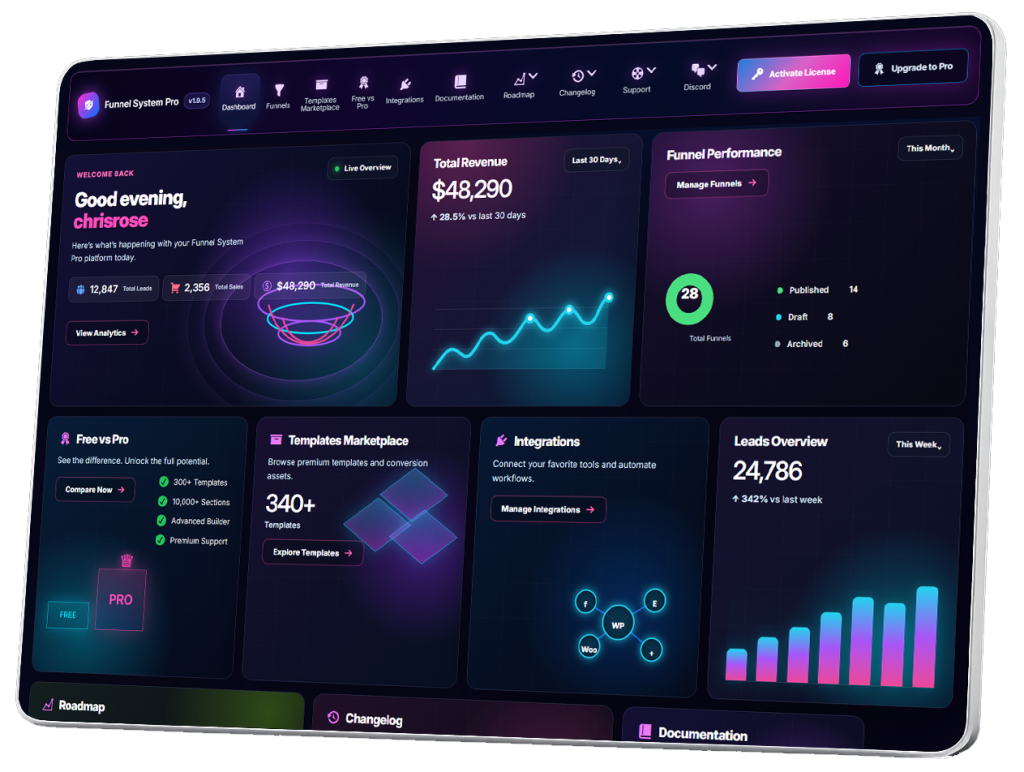
Build powerful self-hosted CRM workflows directly inside WordPress. Track leads, manage customer activity, organize follow-ups, collaborate with your team, and monitor funnel performance using a conversion-focused CRM designed for modern businesses, agencies, and marketers.
- CRM Overview
- Understanding the Lead Dashboard
- Viewing Funnel Leads
- Lead Detail Pages
- Managing Lead Statuses
- Creating Lead Notes
- Activity Timeline
- Tracking Lead History
- Filtering Leads
- Searching Leads
- Exporting Leads
- CSV Exporting
- Email Notifications
- User Notifications
- Lead Assignment
- Team Dashboard Overview
- Managing Team Members
- User Roles & Permissions
- Client Dashboard Overview
- Shared Funnel Access
- Managing Client Funnels
- Lead Management Workflows
- CRM Automation Strategies
- Agency CRM Workflows
- Organizing Large Lead Volumes
- CRM Best Practices
- CRM Troubleshooting
Managing Lead Statuses
Statuses help organize leads throughout the customer journey.
Example pipeline:
- New Lead
- Contacted
- Qualified
- Scheduled
- Proposal Sent
- Closed
Status systems improve visibility and workflow management.
Internal Team Collaboration
Lead Detail Pages support collaboration by allowing teams to:
- Share notes
- Track progress
- Monitor follow-ups
- Review activity history
This is especially useful for agencies and multi-user environments.
Lead Detail Pages for Agencies
Agencies can use Lead Detail Pages to manage:
- Client leads
- Funnel submissions
- Team communication
- Campaign tracking
- Multi-client CRM workflows
This creates a centralized operational system inside WordPress.
Multi-Location Lead Management
Businesses operating in multiple cities can organize leads by:
- Location
- Funnel source
- Service category
- Campaign
Lead Detail Pages help maintain organization at scale.
Lead Quality Optimization
Lead Detail Pages can help identify:
- High-quality leads
- Buyer intent
- Service preferences
- Funnel effectiveness
Patterns in lead responses can improve future funnel optimization.
Best Practices for Managing Lead Detail Pages
Respond Quickly
Fast response times improve conversion rates significantly.
Review Funnel Responses Carefully
Customer answers provide valuable context for follow-up.
Keep Notes Organized
Detailed notes improve team coordination.
Update Lead Statuses Regularly
Accurate statuses improve visibility and reporting.
Remove Spam Leads
Clean CRM systems are easier to manage efficiently.
Mobile CRM Management
Lead Detail Pages may also support mobile access, allowing teams to:
- Review leads remotely
- Add notes on the go
- Update statuses quickly
- Access customer details from anywhere
This improves flexibility and response speed.
Security and Lead Privacy
Lead data should always be protected carefully.
Recommendations:
- Restrict CRM access
- Use strong passwords
- Keep WordPress updated
- Backup lead data regularly
- Use secure hosting
Protecting customer information is essential.
Common Lead Detail Page Issues
Missing Funnel Data
Possible causes:
- Form mapping problems
- Plugin conflicts
- Incomplete submissions
Duplicate Leads
Often caused by:
- Multiple submissions
- Testing
- Spam activity
Slow CRM Performance
Large lead databases may require:
- Database optimization
- Better hosting
- Plugin cleanup
System maintenance helps maintain CRM performance.
Advanced CRM Workflow Possibilities
Future Lead Detail Page features may include:
- Lead scoring
- Automated follow-ups
- SMS integrations
- Email sequences
- AI-powered insights
- Pipeline automation
- Team assignment systems
The CRM can evolve into a complete sales operations platform.
Lead Detail Pages vs Traditional Contact Forms
Traditional contact forms usually provide:
- Basic email notifications
- Minimal organization
- Limited lead tracking
Funnel System Pro creates structured lead profiles directly connected to your funnels and CRM workflows.
This creates a far more scalable lead management system.
Final Thoughts
Lead Detail Pages transform simple funnel submissions into organized customer management records.
With Funnel System Pro, businesses can review customer information, manage follow-up workflows, organize sales activity, and maintain complete lead visibility directly inside WordPress while keeping full ownership of their customer data and funnel infrastructure.
Managing Lead Statuses
Managing Lead Statuses in Funnel System Pro helps businesses organize leads throughout the sales process, track customer progress, and maintain a structured workflow inside the CRM system.
Lead statuses act like a visual pipeline that shows where each lead currently stands, helping teams prioritize follow-ups, monitor conversions, and manage customer interactions more efficiently.
Without organized statuses, CRM systems quickly become cluttered and difficult to manage.
What Are Lead Statuses?
Lead statuses are labels assigned to leads that indicate their current stage in the sales or follow-up process.
Examples include:
- New Lead
- Contacted
- Qualified
- Scheduled
- Proposal Sent
- Won
- Lost
Statuses provide visibility into customer progress and team activity.
Why Lead Statuses Matter
Funnels generate leads, but statuses help businesses manage those leads properly.
Without statuses:
- Leads become disorganized
- Follow-ups are inconsistent
- Teams lose visibility
- Sales pipelines become unclear
Lead statuses create structure and workflow organization.
Benefits of Lead Status Management
Better Organization
Statuses make it easier to organize large lead databases.
Faster Follow-Up
Teams can quickly identify which leads require action.
Improved Sales Visibility
Businesses can monitor:
- Active opportunities
- Qualified leads
- Closed deals
- Lost opportunities
Team Coordination
Statuses help multiple team members stay aligned.
Funnel Performance Tracking
Businesses can identify:
- Which funnels generate qualified leads
- Which campaigns convert best
- Where leads drop off in the process
Common Lead Statuses
New Lead
The lead has recently entered the CRM and has not yet been contacted.
This is typically the default status for new submissions.
Contacted
The business has initiated communication with the lead.
Examples:
- Phone call
- SMS
- Consultation request
Qualified
The lead meets the requirements for becoming a customer.
Examples:
- Budget approved
- Service area matches
- High purchase intent
- Serious inquiry
Scheduled
The lead has booked:
- A consultation
- An appointment
- A demo
- A meeting
Proposal Sent
A quote, estimate, or proposal has been delivered to the lead.
This is common for:
- Contractors
- Agencies
- Service businesses
Won
The lead converted into a customer.
Examples:
- Signed contract
- Completed purchase
- Paid invoice
- Confirmed booking
Lost
The lead did not convert.
Possible reasons:
- No response
- Budget issues
- Chose a competitor
- Not qualified
Tracking lost leads helps improve future funnel performance.
Accessing Lead Status Controls
To manage statuses:
Go to:
Funnel System Pro → CRM → Leads
Open any Lead Detail Page.
Inside the lead profile, you can update the lead status as the customer progresses through the workflow.
Updating Lead Statuses
Statuses should be updated regularly to maintain CRM accuracy.
Typical workflow:
- Lead enters the funnel
- Status = New Lead
- Initial contact made
- Status = Contacted
- Lead qualifies
- Status = Qualified
- Proposal sent
- Status = Proposal Sent
- Lead converts
- Status = Won
This creates a clear sales pipeline.
Lead Status Workflow Example
Roofing Contractor Funnel
Step 1
Customer submits estimate request.
Status:
- New Lead
Step 2
Office staff calls customer.
Status:
- Contacted
Step 3
Customer confirms project interest.
Status:
- Qualified
Step 4
Estimate appointment booked.
Status:
- Scheduled
Step 5
Proposal delivered.
Status:
- Proposal Sent
Step 6
Customer signs contract.
Status:
- Won
This workflow helps teams track customer progress clearly.
Managing Large Lead Pipelines
As lead volume increases, statuses become even more important.
They help businesses:
- Prioritize hot leads
- Identify inactive leads
- Monitor sales performance
- Organize workflows
- Reduce missed opportunities
Organized pipelines improve operational efficiency.
Lead Status Best Practices
Keep Statuses Simple
Too many statuses can create confusion.
Use clear, meaningful stages.
Update Statuses Consistently
Outdated statuses reduce CRM accuracy.
Train Team Members
Ensure all team members understand the status workflow.
Use Statuses for Prioritization
Focus first on:
- Qualified leads
- Scheduled leads
- High-intent inquiries
Review Pipelines Regularly
Monitor:
- Conversion rates
- Funnel quality
- Lead progression
- Lost lead patterns
Statuses and Funnel Optimization
Lead statuses provide valuable funnel insights.
Businesses can identify:
- Which funnels create qualified leads
- Which funnels create low-quality leads
- Where prospects lose interest
- Which campaigns produce the highest ROI
This improves future funnel optimization.
Status Filtering and CRM Organization
CRM systems often allow filtering by status.
Examples:
- View all New Leads
- View all Qualified Leads
- View all Won Leads
Filtering improves workflow speed and organization.
Lead Statuses for Agencies
Agencies can use statuses to manage:
- Client campaigns
- Sales pipelines
- Funnel performance
- Team assignments
- Multi-client CRM systems
This creates a more professional operational workflow.
Multi-Location Status Management
Businesses operating across multiple cities or regions can combine statuses with:
- Funnel source tracking
- Location tagging
- Campaign tracking
This improves organization at scale.
Lead Status Automation Possibilities
Advanced workflows may eventually include:
- Automatic status changes
- AI lead scoring
- Triggered notifications
- Follow-up automations
- Team assignments
- Pipeline automation
Statuses become even more powerful when connected to automation systems.
Common Lead Status Mistakes
Too Many Statuses
Overly complex pipelines become difficult to manage.
Inconsistent Updates
Outdated statuses reduce CRM visibility.
No Follow-Up Process
Statuses should support real workflow action.
Ignoring Lost Leads
Lost lead analysis can improve future funnel performance.
Status Tracking and Team Collaboration
Lead statuses help teams:
- Stay aligned
- Avoid duplicate follow-ups
- Track customer progress
- Improve communication
This becomes increasingly important in multi-user environments.
Lead Statuses vs Traditional Contact Forms
Traditional contact forms provide little workflow visibility.
Funnel System Pro transforms lead submissions into a structured CRM pipeline with organized statuses and sales tracking.
This creates a more scalable and professional lead management system.
Final Thoughts
Lead statuses turn simple funnel submissions into organized customer workflows.
With Funnel System Pro, businesses can track customer progress, organize sales pipelines, improve follow-up consistency, and manage leads more efficiently directly inside WordPress while maintaining full ownership of their CRM and customer data.